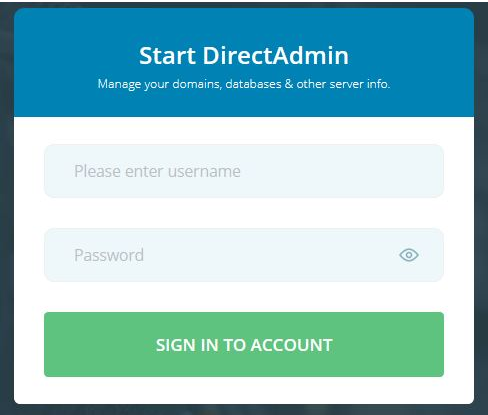
1) Login into your User panel.
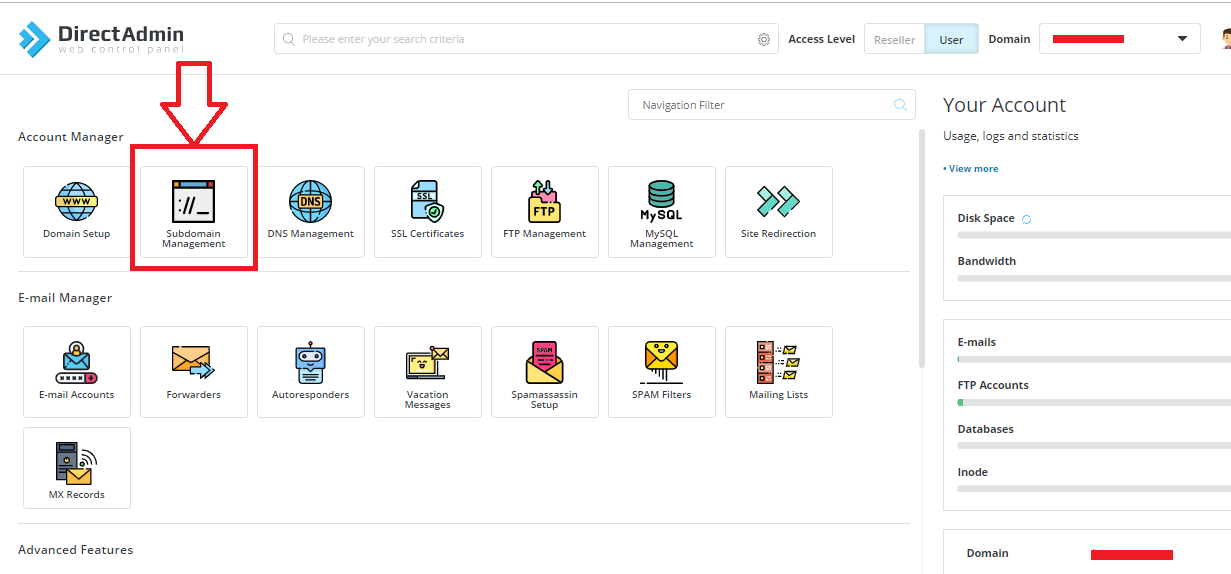
2) Select "Subdomain Management" in "Account Manager" section.
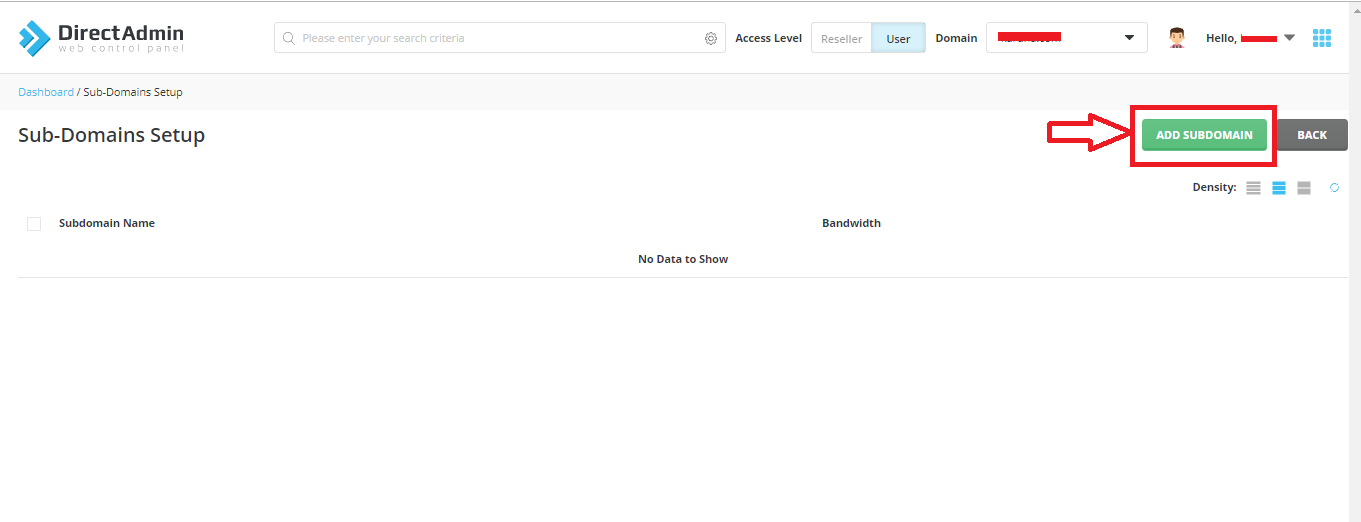
3) Click on "ADD SUBDOMAIN".
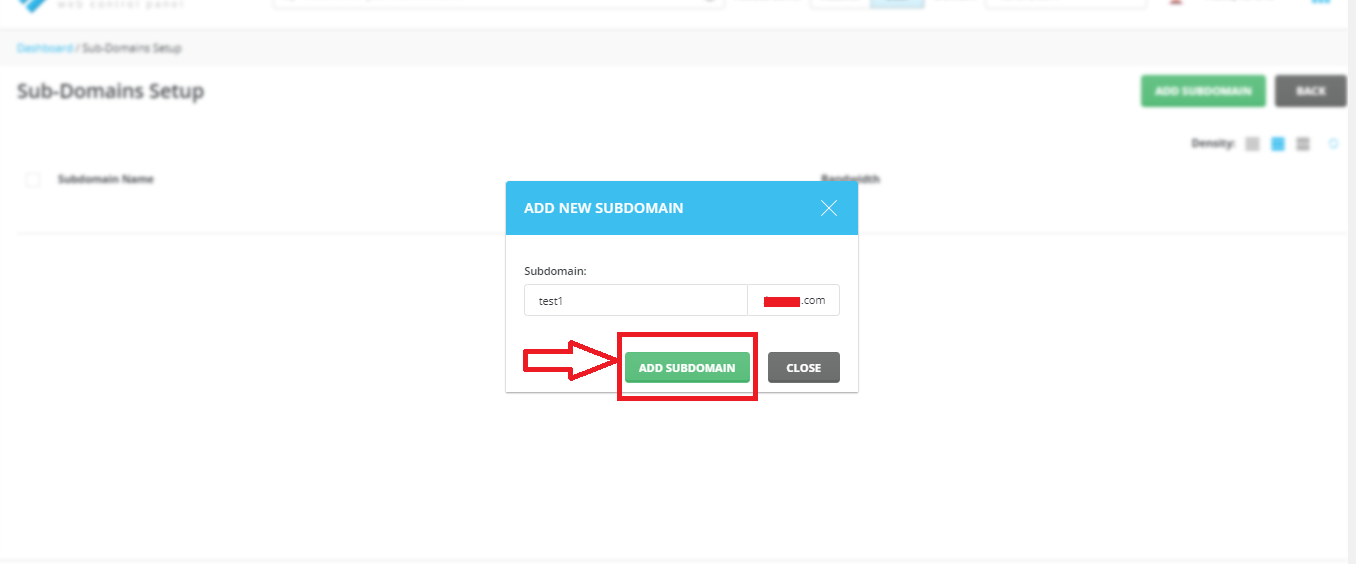
4) Enter the subdomain name and then click on "ADD SUBDOMAIN".
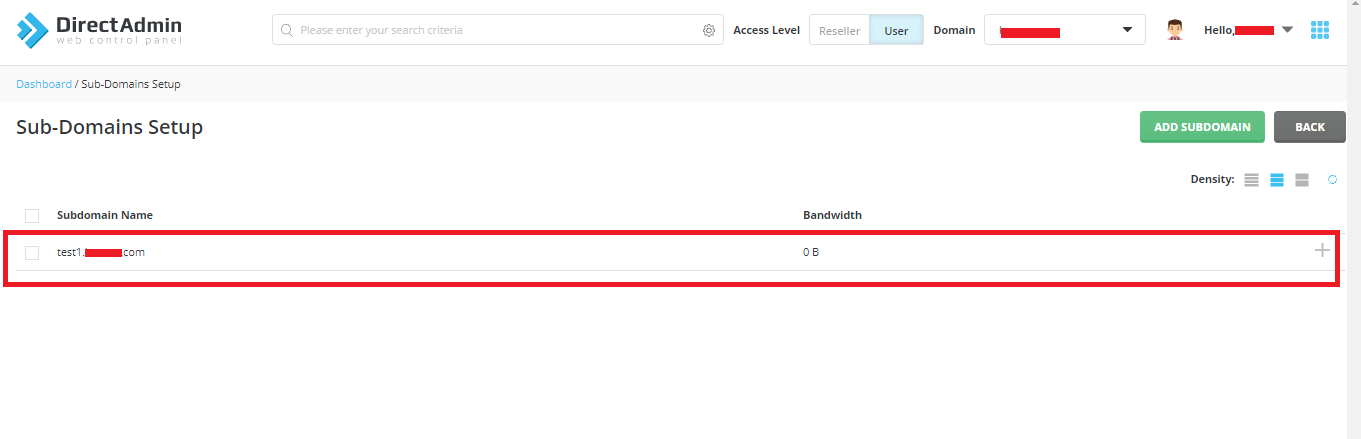
5) Your subdomain is added in the list.
2) Select "Subdomain Management" in "Account Manager" section.
3) Click on "ADD SUBDOMAIN".
4) Enter the subdomain name and then click on "ADD SUBDOMAIN".
5) Your subdomain is added in the list.
Was this answer helpful?
Also Read
-
How to change password of email accounts in Directadmin panel Open or Close
1) Login into your User panel.2) In "E-mail Manager", section click on "E-mail Accounts".3) Click... Read More
-
Switch PHP version on Shared Server Open or Close
1) Login in DirectAdmin Panel.2) In "Extra Features" section, click on "Select PHP Version ".3)... Read More
-
Move files or sub-folders from one folder to another Open or Close
1) Login into your Directadmin panel.2) Select "File Manager" in "System Info & Files"... Read More
-
Change password of mysql database in Direct Admin Open or Close
1. Login in your User Panel.2. In "Account Manager" Section, Click on MySQL Management.3. Now,... Read More
-
How to reset the password of the user Open or Close
1) Login into your Reseller Account.2) Go to "Change Passwords" in "Account Manager" Section.3)... Read More



