The instructions provided in this section were verified against Apple Mail 8.2. They might not work with earlier or later versions of Apple Mail.
To set up Apple Mail:
- Open Apple Mail and choose the Add Other Mail Account option from the list.
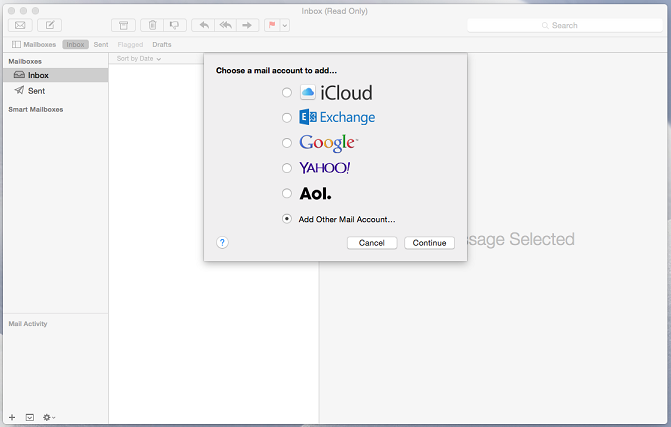
- Click Continue.
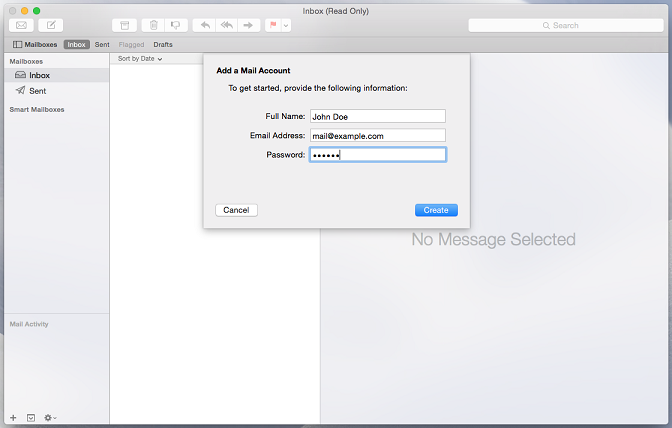
- Specify your full name, your email address and password, and click Create. After you are prompted to configure the account manually, click Next.
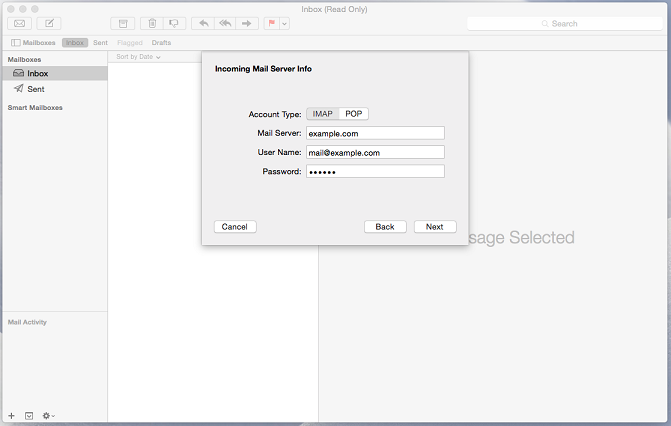
- Specify the following:
- Account type. Select IMAP if you want to keep copies of received email messages on the server. Select POP if you do not.
- Mail Server. Type in your domain name, for example, example.com.
- User Name. Type in your full email address.
- Password. Type in your password.
- Click Next. When prompted for additional information, click Next again.
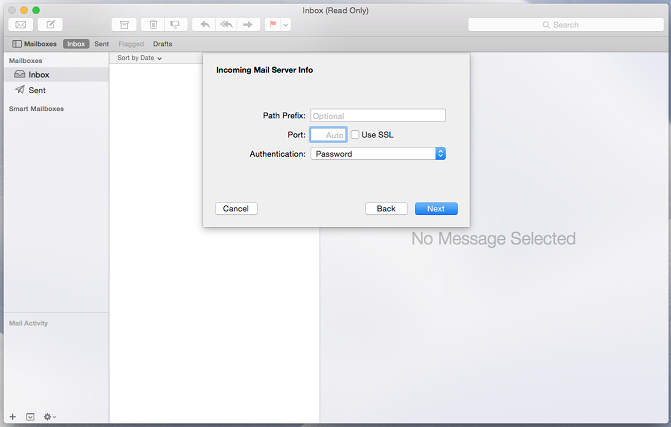
- Specify the following:
- Path Prefix. Leave empty unless your provider advises you to use one.
- Port. Leave it set to Auto unless your provider advises you to use a custom port.
- Use SSL. Select this checkbox if advised by your provider. Otherwise leave it clear.
- Authentication. Select Password from the menu.
- Click Next.
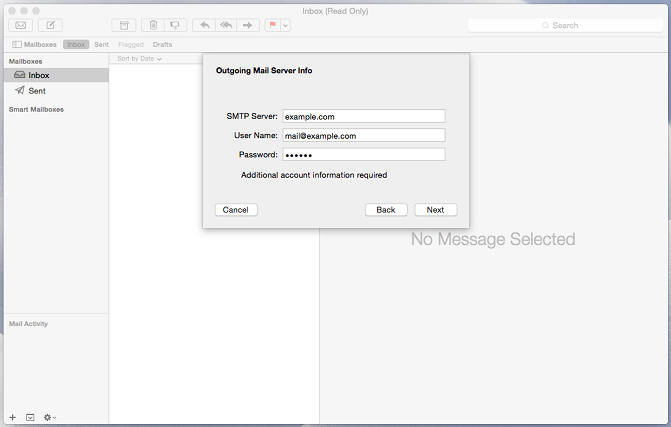
- Specify the following:
- SMTP Server. Type in your domain name, for example, example.com.
- User Name. Type in your full email address.
- Password. Type in your password.
- Click Next. When prompted for additional information, click Next again.
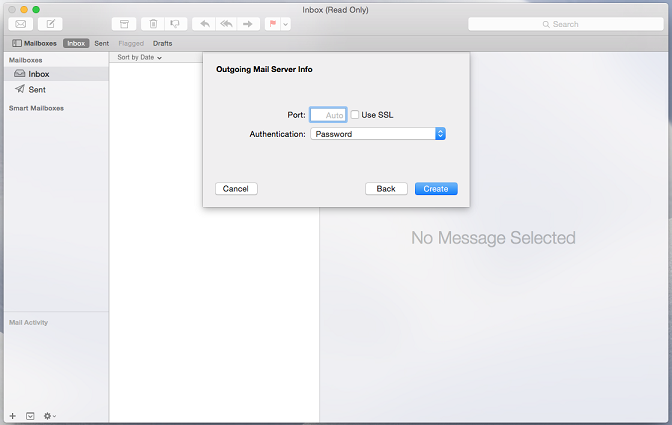
- Specify the following:
- Port. Leave it set to Auto unless your provider advises you to use a custom port.
- Use SSL. Select this checkbox if advised by your provider. Otherwise leave it clear.
- Authentication. Select Password from the menu.
- Click Create.
Was this answer helpful?
Also Read
-
Create Mail Account in Plesk Open or Close
In order to create an email account in Plesk, follow the steps given below: 1. Login to Plesk.... Read More
-
Access from Webmail Open or Close
To access your mailbox through webmail, do any of the following: In a Web browser, visit the... Read More
-
How to Configure Mail in Android Gmail App Open or Close
The instructions provided in this section were verified against Android 4.4.2. To set up a mail... Read More
-
Access from Microsoft Office Outlook 2010 Open or Close
To set up Microsoft Office Outlook 2010: Open Microsoft Office Outlook 2010. Go to File >... Read More
-
Access from Mozilla Thunderbird Open or Close
The instructions provided in this section were verified against Mozilla Thunderbird 31.4.0. They... Read More



